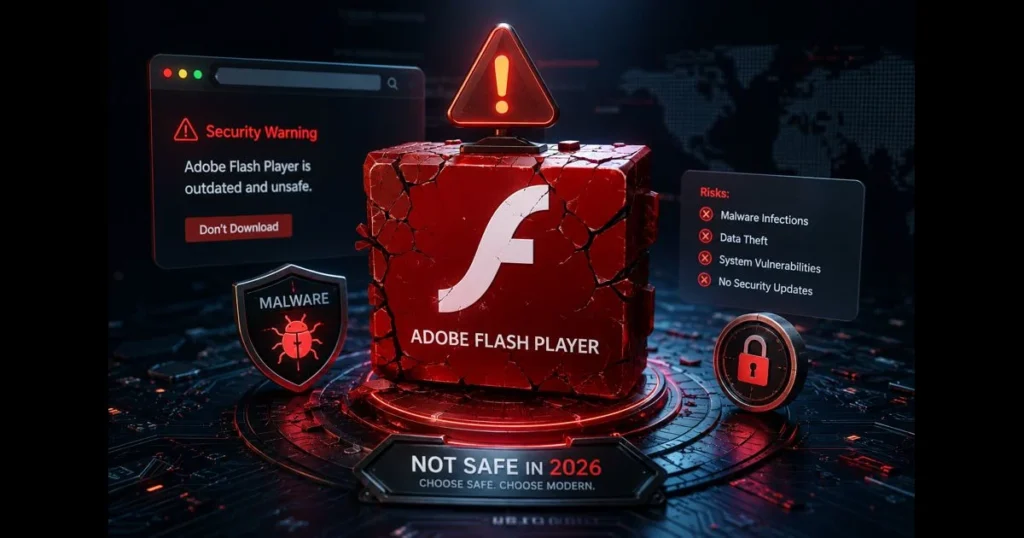
Many still ask, “Is Flash Player safe?” often due to older websites or offline files requiring it. The answer in 2026 is not entirely clear: downloading Flash Player is generally considered unsafe, and there are better ways to view legacy content. This article covers why Flash’s era ended, how modern browsers handle it, and what to expect when searching for an installer. You’ll also discover safer alternatives and protective steps if you’ve already tried to install it. If you’re curious whether a safe Flash Player download option exists, read on before clicking anything. Related reading: allow flash in browser.
- Understanding Flash Player and Its Current Status
- Potential Risks of Downloading Flash Player
- Flash Player Virus: What You Need to Know
- Is Flash Player Download Safe from Official Sources?
- Alternatives to Flash Player in 2026
- Best Practices for Safe Software Downloads
- User Experiences and Expert Opinions
- Conclusion: Should You Download Flash Player in 2026?
1. Understanding Flash Player and Its Current Status
Overview of Flash Player’s history and its decline in usage.
Flash Player once fueled a significant portion of online animation, games, and video, providing creators with an accessible toolkit before HTML5 matured. However, this popularity came with critical security issues and reliance on a browser plugin architecture that became outdated as the web evolved into safer, mobile-friendly models. Related reading: allow flash.
Adobe announced Flash’s end-of-life years ago and officially ended support in 2020. After that, security fixes ceased, and the software was actively blocked by a built-in “time bomb” in many distributions. Even if you find an installer, you’re risking an abandoned component that modern systems deem untrusted. (See: CDC on Flash Player.)
Current status of Flash Player support from major browsers.
Major browsers have removed support for Flash. Chrome, Edge, Firefox, and Safari no longer run Flash content by default, and most require complicated workarounds that compromise security. Enterprises that previously relied on Extended Support options have transitioned away. If a site prompts you to enable Flash, it’s a clear indication that the content is outdated.
2. Potential Risks of Downloading Flash Player
Common vulnerabilities associated with outdated software.
Outdated plugins are prime targets for attackers. Flash has a history of memory corruption bugs, use-after-free issues, and sandbox escapes. When support ended, these vulnerabilities didn’t disappear; they remained, waiting to be exploited wherever legacy Flash code is executed.
Installing a deprecated browser plugin expands your attack surface. Background services and auto-update processes can be exploited. This illustrates Flash Player’s security risks: you introduce fragile code into your system that no vendor supports anymore.
How downloading from unofficial sources can lead to malware.
Since Adobe no longer distributes Flash Player, sites claiming to provide a current “official” installer are unofficial. This void has been filled by bundleware portals and malicious operations. Many of these so-called installers deliver adware or worse, like credential stealers and ransomware. Threat actors often use search ads and typo-squatted domains to lure those searching for “is Flash Player still safe.”
If you’ve downloaded a copy from a third-party source, treat the file as untrusted. It’s a common route for malware to infiltrate your system, modify your browser, and intercept traffic before you realize it.
3. Flash Player Virus: What You Need to Know
Types of viruses associated with Flash Player installations.
“Flash Player virus” encompasses various threats leveraging the brand. Over the years, attackers have used fake Flash updaters to deploy info-stealers that scrape saved passwords and cookies, cryptocurrency miners that hijack your CPU/GPU, and loaders fetching additional payloads post-reboot. Some campaigns wrap a functional but obsolete Flash binary in malicious components, creating a facade of legitimacy while the real infection operates in the background.
On Windows, these often appear as .exe bundles with benign names; on macOS, unsigned .pkg or .dmg files may trigger a Gatekeeper prompt that users click through without thought. The deception is simple: “Install this to view content.” The resulting damage can range from browser hijacking to complete system compromise.
Signs that your system may be infected after downloading Flash Player.
Be alert for subtle signs of infection. Look for new browser extensions you didn’t approve or changes to your default search engine or homepage. Unexpected CPU spikes during idle times, pop-ups from security tools about blocked outbound connections, and unusual network usage are red flags. In severe cases, files may become inaccessible or renamed, indicating ransomware activity.
If you notice these symptoms following a Flash attempt, disconnect from the internet, run a full scan with a reputable antivirus, and consider restoring your system to an earlier point. If possible, export and change your passwords from a secure device.
4. Is Flash Player Download Safe from Official Sources?
Evaluating the safety of downloading from Adobe’s official site.
Here’s the reality: Adobe has ended consumer distribution and support. That means there’s no legitimate, general-purpose download available. Any site claiming to be an “official” Adobe Flash download in 2026 is either outdated or fraudulent. Without new security patches, even a genuine historical installer poses risks for everyday use.
Some organizations may have previously licensed controlled versions for offline environments, but that’s a specialized case with strict controls. For the general public, the answer to “is a Flash Player download safe from official sources?” is a definitive no—there is no supported official source.
Understanding the importance of software updates and security patches.
Security is a continuous battle. Vendors release patches while attackers search for vulnerabilities. Once a product reaches end-of-life, the race ends unfavorably for users. This is why updating Flash Player once mattered, and why its retirement shifts the landscape completely: without updates, any new vulnerabilities remain exploitable indefinitely. Modern web standards are maintained continuously, allowing for fixes without user intervention.
5. Alternatives to Flash Player in 2026
Popular alternatives to Flash Player for multimedia content.
For video and audio, HTML5 players using native video and audio elements cover nearly all needs. Canvas and WebGL manage interactive graphics; WebAssembly powers complex applications; and SVG is ideal for lightweight vector animations. If you need to view a legacy .swf file, the ruffle flash emulator is a solid choice. This Rust-based project runs many SWFs directly in the browser or on the desktop without the original plugin.
Beyond emulation, consider mature options: HTML5 video players (such as Video.js or Plyr) for streaming media; Java or JavaFX for standalone multimedia applications; and dedicated game engines like Unity for rebuilding interactive content with modern export targets (WebGL/WebAssembly, mobile, desktop) and hardened security models.
Benefits of using modern technologies over Flash Player.
Modern technologies offer built-in safety. Browsers isolate tabs and enforce permission prompts for cameras and microphones. They also auto-update in the background. Developers enjoy accessibility features, responsive layouts, and high-DPI rendering without custom code. Users avoid the headaches of plugin prompts, and IT teams eliminate high-maintenance exceptions from their security models.
Moreover, standards-based content is more resilient. You’re not reliant on a single vendor’s runtime, which is what left many Flash-only experiences stranded when support ended.
6. Best Practices for Safe Software Downloads
Tips for ensuring safe downloads of software.
Practice healthy skepticism with every installer, not just Flash. Consider these habits:
- Always start at the vendor’s domain, verifying the URL character by character.
- Prefer platform app stores when possible; they vet submissions and simplify updates.
- Avoid “free download” aggregators and SEO-heavy mirror pages.
- Scan downloads with your security suite or a reputable scanner before opening.
- Opt for custom installs to decline unnecessary bundles.
- Keep your browser, OS, and drivers updated to minimize reliance on third-party plugins.
Good habits around software downloading won’t salvage Flash, but they can help you avoid common traps.
Importance of antivirus software and system security measures.
Utilize a reputable, actively maintained security suite with real-time protection and web filtering. Enable built-in OS protections like SmartScreen or Gatekeeper. Use a non-admin account for daily tasks. Back up important files in a versioned, offline-friendly manner to protect against ransomware. If you installed Flash in the past, consider this your prompt to uninstall flash player and remove any lingering services or browser extensions associated with it.
7. User Experiences and Expert Opinions
Common user experiences regarding Flash Player downloads.
User stories often fall into two categories. Some report success with old training modules or museum sites requiring Flash, only to later experience ads, search redirects, or system slowdowns. Others find they can’t get it to run at all due to browser blocks and quarantined files. While the latter may be frustrating, it’s the safer outcome.
For site owners, feedback is clear: prompts to enable Flash confuse visitors, decrease completion rates, and generate support tickets. Transitioning key content to standards-based video or lightweight JavaScript often enhances load times and engagement.
Expert recommendations on handling Flash Player safely.
Security experts consistently advise against reinstalling end-of-life plugins. If you must interact with legacy Flash content for archival or research purposes, isolate it. Use a dedicated, offline virtual machine, import only trusted SWFs, and prefer an emulator like the Ruffle flash emulator over any binary claiming to be the original plugin. Organizations should inventory intranet pages and vendor tools that reference Flash and schedule migrations instead of extending risky exceptions.
For everyday browsing, heed this rule: if a page prompts you to install Flash or enable it, close the tab immediately. That request itself is a warning.
8. Conclusion: Should You Download Flash Player in 2026?
In 2026, Flash is not just outdated; it’s considered extinct as a supported platform. No safe update path exists, and there’s no trustworthy consumer download available. Thus, the questions “is Flash Player safe?” and “is Flash Player still safe?” both lead to the same conclusion: it’s not safe for routine use on connected devices.
Choose modern playback methods and avoid any prompts requiring Flash, as no safe download option exists. Website owners should eliminate plugin dependencies and adopt alternatives like HTML5 media, Canvas, WebGL, and emulation for archives. If you’ve installed something claiming to be Flash, conduct a full malware scan, audit your extensions, and remove it—then ensure your browser returns to its default security settings.
Your next step? Skip the installer, opt for standards-based solutions or an emulator, and secure your system. If you manage a team or website, consider scheduling an audit in the near future to officially remove Flash from your stack.
Frequently Asked Questions
Is Flash Player safe to use in 2026?
Flash Player has been unsupported since 2020 and receives no security patches. In 2026, it is not safe to use due to ongoing, unpatched vulnerabilities. Avoid installing it and uninstall any remnants from your device.
What are the risks of using Flash Player now?
Using Flash Player now poses significant security risks, including exposure to malware and hacking, as there are no updates or patches to protect against vulnerabilities.
What alternatives can I use instead of Flash Player?
Alternatives to Flash Player include HTML5, JavaScript, and CSS3, which provide similar functionalities without the security risks associated with Flash.