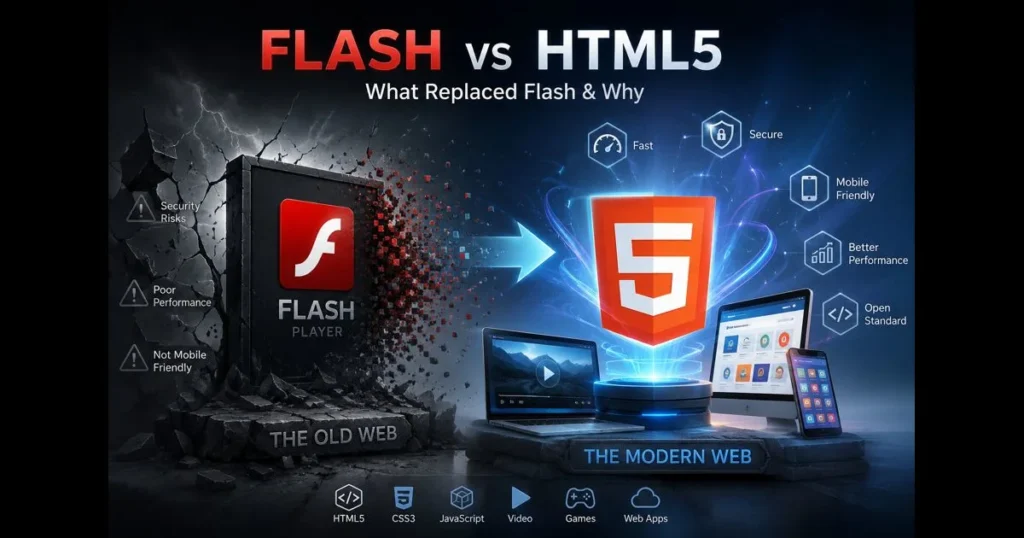
The phrase “Flash vs HTML5” marks a pivotal moment in web history. For over a decade, Flash Player powered animations, browser games, and videos on countless sites. But as the web evolved around open standards, HTML5 emerged as the leader. Understanding this shift is crucial for anyone involved in building or maintaining digital experiences today. This article traces the evolution from Flash to modern standards, explains why Flash became obsolete, and highlights how HTML5 transformed browser capabilities, from HD video to offline applications. Whether you’re revisiting legacy content or starting a new project, you’ll discover what replaced Flash, how to handle older embeds still asking for Flash, and which tools are vital in 2026–2027.
- The Rise of Flash Player
- The Decline of Flash: Why Flash Died
- Introduction to HTML5
- HTML5 Replaced Flash: The Transition
- The Advantages of HTML5 Over Flash
- Current Applications of HTML5
- Future of Web Development: Moving Beyond Flash and HTML5
- Conclusion: Embracing Change in Web Technologies
The Rise of Flash Player
Overview of Flash Player’s introduction and early success
Before smartphones and responsive design became standard, Flash Player felt revolutionary. It arrived when HTML and CSS alone couldn’t deliver complex animations or consistent video playback across browsers. Designers leveraged Flash to create splash pages, interactive cartoons, banner ads, and educational games that looked the same in Internet Explorer, Netscape, and others. This uniformity, combined with a vast user base, made Flash the go-to platform for rich web media. (See: Adobe Flash.)
Studios thrived on the format. A single .swf file could encapsulate everything from vector art and audio to animations and code via ActionScript. This allowed small teams to publish polished experiences without wrestling with browser inconsistencies and enabled brands to launch creative microsites that would have been overly complex with early HTML. Related reading: allow flash in browser.
Key features that made Flash popular for multimedia content
Several features fueled Flash’s early success:
- Timeline-based animation offering precise control over easing, layers, and keyframes.
- Vector graphics that maintained quality at smaller file sizes.
- Integrated audio and video playback long before native video tags were available.
- ActionScript for interactivity and game mechanics, all within one file.
- Consistent rendering across browsers, a significant breakthrough at the time.
This toolkit allowed artists and developers to prototype, iterate, and publish easily. Related reading: is flash player safe.
The Decline of Flash: Why Flash Died
Security vulnerabilities and performance issues with Flash
As Flash’s popularity grew, so did its vulnerabilities. Security researchers flagged numerous issues, and the plugin model—running a complex runtime inside the browser—became a liability. Enterprises faced operational risks, as the question of Flash’s safety shifted from theoretical to practical risk management.
Performance issues also plagued Flash. Heavy CPU usage led to overheating laptops and drained batteries during video playback. As high-DPI screens and full-HD video became standard, these inefficiencies became even more pronounced.
The emergence of mobile devices and their incompatibility with Flash
Mobile changed everything. Touch input and constrained resources clashed with a plugin built for desktops. Apple’s decision to exclude Flash from iOS was a turning point—Steve Jobs argued for open, energy-efficient technologies instead. Early Android experiments with Flash revealed similar stability issues under real-world conditions.
Developers faced a choice: maintain separate codebases for desktop and mobile or adopt universal technologies. The industry quickly realized why Flash failed on mobile, shifting momentum toward open, native browser features that didn’t require users to enable Flash.
Introduction to HTML5
What is HTML5 and how it differs from previous versions
HTML5 isn’t merely an update; it’s a collection of living standards from WHATWG and W3C defining modern web functionality. Earlier HTML specs focused on markup and document structure. HTML5 expanded this canvas with semantic elements for accessibility and SEO, plus APIs for graphics, audio, video, and more.
Crucially, HTML5 features are implemented natively in browsers, updated with each release cycle, and tested through open standards. This shift from an external runtime to interoperable, standard features allowed multimedia web standards to thrive.
Key features that enhance multimedia and interactivity
HTML5 includes several built-in capabilities that make it a credible successor to Flash:
- Canvas and WebGL for rendering 2D and 3D graphics directly in the browser.
- Audio and video elements controlled by JavaScript, with support for adaptive streaming through Media Source Extensions (MSE).
- Encrypted Media Extensions (EME) for DRM playback when necessary.
- CSS animations and transforms for motion without plugins.
- Web Storage, IndexedDB, Service Workers, and Cache API for offline, app-like experiences.
- Modern input and device APIs—Pointer Events, Gamepad, WebXR—supporting diverse user interactions.
This results in richer interactivity and better HTML5 compatibility across various platforms.
HTML5 Replaced Flash: The Transition
How developers migrated from Flash to HTML5
Migration isn’t instantaneous. Teams typically audited their Flash content, prioritizing critical components like video players and interactive modules, then rebuilt them using HTML5, CSS3, and JavaScript frameworks. Libraries such as GreenSock, PixiJS, and Phaser filled gaps for animation and canvas-based games. Some organizations converted ActionScript logic to TypeScript or JavaScript while preserving original assets.
Video became a pivotal point. When major platforms launched reliable HTML5 players with adaptive streaming, the need for Flash diminished. Accessibility also played a role: captions, transcripts, and keyboard navigation integrated more smoothly with native elements than with plugin interfaces.
The role of major browsers in phasing out Flash support
Browser vendors coordinated a gradual phaseout, initially implementing “click-to-play” defaults, then surfacing warnings, and eventually removing Flash support entirely. Adobe’s guidance encouraged migration to standards-based approaches, solidifying HTML5 as the standard. If a page prompts you to allow flash, it indicates outdated content—or worse, a potential malware attempt.
For archival material, safe playback typically means exporting to video, rebuilding natively, or hosting content in a sandboxed emulator like Ruffle. The era of instructing users to enable Flash is over.
The Advantages of HTML5 Over Flash
Improved performance and reduced loading times
Native performance beats plugin reliance. HTML5 utilizes the browser’s rendering pipeline, benefits from GPU acceleration, and avoids the overhead of a separate runtime. This translates to faster load times, smoother animations, and less battery drain. Modern build tools—code splitting, tree-shaking, and efficient media codecs—enhance these gains.
Developers gain granular control: lazy-loading images and videos, deferring scripts, and using responsive images to serve the right content efficiently. A bloated Flash bundle lacked this level of control.
Better compatibility across devices and platforms
While “write once” has always been aspirational, HTML5’s compatibility across platforms comes close. A single player can run on Windows, macOS, Linux, iOS, and Android without separate installations. Assistive technologies integrate more seamlessly with semantic HTML, meeting accessibility requirements more effectively.
Security improves by minimizing the need for high-privilege binaries. Browser sandboxes, permission prompts, and frequent updates establish a healthier security baseline than a universal plugin with its own patch cycle.
Current Applications of HTML5
Use of HTML5 in modern web applications and games
Today’s web applications feel native for a reason. Progressive Web Apps cache assets, sync data, and function offline. Complex design tools utilize Canvas and WebGL, while music production software records audio through Web Audio and WebRTC. Learning platforms integrate quizzes, videos, and simulations using a combination of semantic HTML and lightweight JavaScript, all without plugins. At global scale, platforms such as YouTube, Facebook, and Twitter deliver video, live streams, and interactive media via these HTML5 APIs instead of plugins.
Games have evolved significantly. From retro platformers on Canvas to immersive 3D experiences on WebGL, developers create titles that run smoothly in browsers with controller support. Packaging tools allow studios to publish to both web and desktop from a single codebase, replacing the old timeline metaphor with modern asset management.
Examples of popular websites leveraging HTML5 technology
Look around: major video platforms stream via native video with MSE and EME; mapping services render vector tiles using Canvas and WebGL; social networks utilize media capture APIs for live video. Newsrooms create engaging interactive stories with semantic HTML, SVG, and CSS transitions optimized for mobile. Examples include YouTube and Netflix for adaptive, DRM-protected streaming; Google Maps for vector and 3D map rendering; and Facebook and Twitter for autoplay video, live broadcasts, and in-browser media capture.
Streaming services, conferencing tools, and productivity suites rely on HTML5 APIs for reliability and reach. Beyond those, Twitch, Spotify’s Web Player, Zoom and Google Meet (via WebRTC), and design tools like Figma and Canva demonstrate how far standards-based apps can go. This shift signifies a move toward standards-based, broadly-supported technology.
Future of Web Development: Moving Beyond Flash and HTML5
Emerging technologies that may shape the future of web development
The browser’s reach continues to expand. WebAssembly offers near-native performance for languages like Rust and C++, enabling video editors and CAD tools directly in the browser. WebGPU opens modern graphics pipelines for high-fidelity rendering and machine learning. The WebRTC ecosystem fuels real-time communication, while WebTransport and QUIC enhance low-latency streaming.
On the UX side, Web Components and TypeScript-first frameworks standardize building complex interfaces. Accessibility and performance have shifted from afterthoughts to requirements, while privacy-preserving patterns are reshaping analytics. This is the next chapter of multimedia web standards—pragmatic and user-centered.
The importance of staying updated with web standards
Standards are living documents. Browser vendors release updates frequently, so what’s “best practice” can change rapidly. Teams that maintain a lean dependency stack and stay informed about WHATWG and W3C developments are better positioned to adapt. Treat deprecations as opportunities to modernize rather than tasks to postpone.
If your organization still faces questions about legacy content, like whether to enable Flash for a training module, use that moment to retire risk. Rebuild critical workflows with native features and establish a no-new-plugins policy.
Conclusion: Embracing Change in Web Technologies
Summary of the key points discussed
Flash addressed real needs at a time when the open web struggled. Its strengths—compact vector graphics and unified runtime—enabled early interactive media. However, the model faltered due to security concerns, performance issues, and the rise of mobile. The industry united around open standards, and HTML5 not only replaced Flash in name but also in capability.
HTML5 advantages underpin everyday online activities: fast, accessible video; smooth animations; offline features; and broad device support without plugins. When prompted to allow Flash or install a “special player,” consider it a red flag. The modern stack is already integrated into your browser.
Encouragement for developers to adapt to new technologies
This narrative isn’t nostalgic; it’s a call to action. Use it as a reminder to revisit legacy code, eliminate fragile dependencies, and invest in progressive enhancement and security. If you’re migrating old content, choose a path—rebuild natively, export to video, or use a constrained emulator—and set a deadline. If you’re initiating new projects, commit to standards that will remain viable for years to come.
Ready to move forward? Audit any remaining Flash artifacts, transition them to modern equivalents, and create your update plan this quarter. Your users—and your future self—will appreciate it.
Frequently Asked Questions
What is the main difference between Flash and HTML5?
The main difference between Flash and HTML5 is that Flash relies on a proprietary plugin, while HTML5 is a web standard supported natively by modern browsers. This makes HTML5 more accessible and compatible across various devices.
Is Flash still relevant in today’s web development?
No, Flash is no longer considered relevant as it has been officially discontinued since December 2020, and most browsers have removed support for it. HTML5 has emerged as the preferred technology for multimedia content.
Can HTML5 fully replace Flash for animations and games?
Yes, HTML5 can fully replace Flash for animations and games, providing similar capabilities through technologies like Canvas, SVG, and WebGL, while also offering better performance and security.