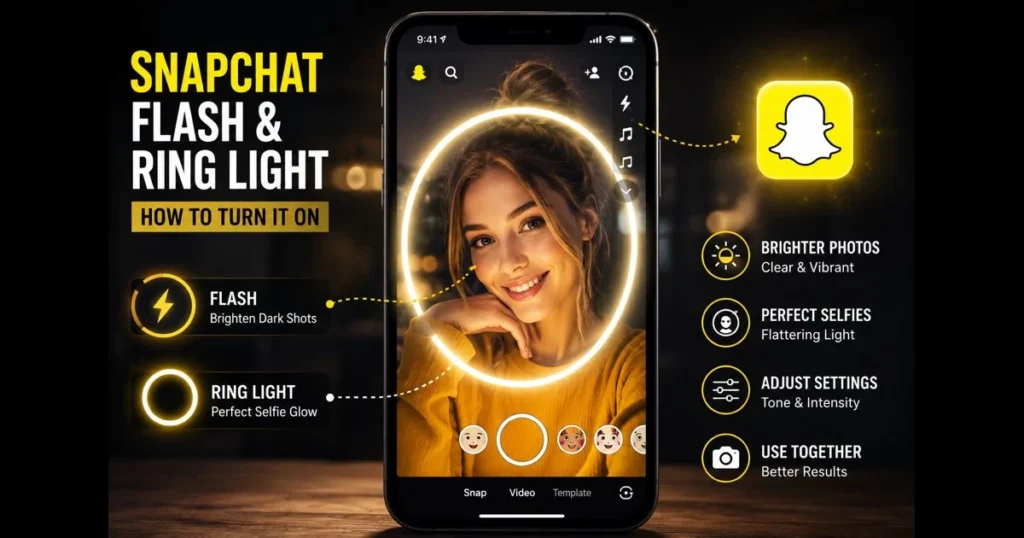
Snapchat keeps photography playful and practical, and few tools prove that better than Snapchat Flash and its built-in Ring Light. Whether you’re shooting city lights after dark or grabbing a quick selfie before heading out, these Snapchat lighting features can elevate a dim scene, create flattering catchlights, and reduce grain. If you’ve ever wondered how to use Snapchat Flash without blowing out your highlights—or how the Ring Light works—this guide walks you through setup, smart adjustments, and tips for enhancing your Snapchat selfies. We’ll cover both the classic rear flash and the newer Ring Light for the front camera, plus when to combine them for optimal lighting.
By the end, you’ll know how to turn each feature on, adjust intensity and color temperature, and avoid common mistakes. You’ll also find practical advice on composition, angles, and when natural light still wins. Let’s get your snaps looking crisp. (See: Snapchat Wikipedia Page.)
- Understanding Snapchat Flash
- What is Snapchat Ring Light?
- How to Turn On Snapchat Flash
- Activating the Snapchat Ring Light
- Using Snapchat Flash and Ring Light Together
- Best Practices for Using Snapchat Flash and Ring Light
- Comparing Snapchat Flash with Other Lighting Options
- User Experiences and Tips
1. Understanding Snapchat Flash
Definition and purpose of Snapchat Flash
Snapchat’s Flash utilizes your phone’s LED to brighten dark scenes and freeze motion. It’s built for speed—one tap, brighter frame—helping you capture moments before they vanish. For selfies, the legacy Front Flash brightens your screen for a simulated burst of light, while newer versions emphasize the Ring Light for a more flattering result.
The aim is clear: enhance exposure, reduce noise, and add definition without the need for bulky gear.
Comparison with traditional camera flash
Traditional camera flashes are powerful, directional strobes. In contrast, Snapchat’s approach is lighter and integrated. The rear LED is modest but quick, while the front effect relies on the display for a softer glow. You sacrifice raw power for speed and portability, making it ideal for everyday snaps.
2. What is Snapchat Ring Light?
Overview of the Snapchat Ring Light feature
The Ring Light is Snapchat’s selfie-focused lighting mode, transforming your screen into a circular glow around the camera. Unlike the blunt full-screen white blast of the classic Snapchat Front Flash, the ring design reduces harsh hotspots and adds round catchlights to your eyes. This feature is part of the broader set of Snapchat lighting tools tucked inside the camera interface.
Benefits of using a ring light for selfies
Creators love it for flattering skin tones, clearer texture, and glossy catchlights. A ring light minimizes shadows under the eyes and nose, especially when you’re close to the lens. It also helps balance backlighting from windows or neon signs, sharpening your subject without overexposing the background—essential for improving selfies in challenging environments.
3. How to Turn On Snapchat Flash
Step-by-step guide to activating Flash in Snapchat
- Open Snapchat to the camera screen.
- Set the camera: tap the flip icon to choose rear or front.
- For the rear camera, look for the lightning-bolt icon near the top. Tap to toggle On/Off/Auto. Use Auto when lighting is unpredictable.
- For the front camera, older devices may show a simple screen-based flash toggle; newer ones emphasize the Ring Light (jump to the next section if you see a ring icon).
- Frame your shot, then tap the shutter. If the flash is on, you’ll see the LED or screen glow.
Tip: If you’re learning how to use Snapchat Flash for the first time, start with Auto outdoors at dusk. It often adds just enough fill without flattening your scene.
Troubleshooting common issues with Flash
- Permissions: If the flash icon is grayed out, confirm Camera permission in your system settings. Some prompts may ask you to allow flash access—approve it, then relaunch the app.
- Battery and heat: Low Power Mode or a hot device can dim or disable the LED. Allow the phone to cool and plug it in if necessary.
- Focus/exposure lock: Tap your subject and adjust the on-screen exposure slider before shooting; otherwise, the flash can leave faces underexposed.
- Lens and LED cleanliness: A smudged lens can bloom the flash. Wipe it with a microfiber cloth.
- App health: Update Snapchat, then force-quit and reopen. Conflicts with other camera apps can also cause quirks.
If you’ve tried other apps, you’ll notice a similar experience to instagram camera flash and tiktok flash, though the details differ. The principle remains: stable hands, clean lens, and appropriate exposure.
4. Activating the Snapchat Ring Light
Instructions on how to enable the Ring Light feature
- Open Snapchat and switch to the front-facing camera.
- Look for a ring or flash-style icon on the screen (often near the right edge or top). Tap it to enable the Snapchat Ring Light.
- Select a tone (warm, neutral, or cool) and confirm the mode.
- Use the on-screen slider to adjust brightness. Start mid-range to avoid washed-out skin.
- Shoot your selfie. If you wear glasses, slightly tilt the frames to minimize ring reflections.
If you don’t see a dedicated ring icon, your device may still use the classic screen flash. That still works; just lower screen brightness before capture if the effect feels too stark.
Adjusting settings for optimal lighting
Color temperature sets mood. Warm tones soften complexions, while cool tones add crispness; neutral keeps it true-to-life. Brightness should complement ambient light: raise it in a dim bar, lower it in a bright room. These tweaks are part of your daily Snapchat camera settings.
5. Using Snapchat Flash and Ring Light Together
Benefits of using both features simultaneously
Combining rear Flash and front Ring Light is ideal for mirror selfies, group shots near reflective surfaces, or creative compositions. The rear LED can illuminate the background while the Ring Light flatters your face in the foreground. This duality often results in less grain and better balance—two wins for enhancing photos in messy lighting.
Tips for achieving the best lighting in different environments
- Night streets: Use rear Flash for background pop; set Ring Light to neutral mid-brightness for your face.
- Indoor tungsten lamps: Choose a slightly warm ring tone to harmonize with the room and avoid color clashes.
- Backlit windows: Lower Ring Light intensity, then tap-to-expose on your face so the background keeps its glow.
- Clubs or concerts: Keep Ring Light subtle to preserve ambiance; let the rear Flash illuminate text and edges.
6. Best Practices for Using Snapchat Flash and Ring Light
Tips for composition and angles
Move closer and fill the frame—phone flashes aren’t floodlights. Angle your face 10–15 degrees off-center to shape cheekbones. Raise the camera slightly above eye level to avoid nostril shadows. For portraits, place catchlights in your eyes at about the “10 or 2 o’clock” position by adjusting the phone angle; this micro-adjustment reads as instantly polished.
Backgrounds matter. A plain wall, textured brick, or distant light string gives your flash something to define without chaotic clutter. Even a half-step sideways can clean up a composition.
Avoiding common mistakes when using flash and ring light
- Too much brightness: Overexposure erases detail. If skin looks plasticky, pull the slider down.
- Flat face effect: Add a slight side angle or step back a few inches to restore depth.
- Glare on glasses: Tilt frames or lift the phone slightly higher to shift reflections out of the lens line.
- Ignoring ambient light: Turn off harsh desk lamps or step toward a window; let your tools enhance, not fight, the room.
How Snapchat compares to Instagram Flash and TikTok Flash
Instagram and TikTok both include quick flash tools, but they handle selfies differently than Snapchat’s Ring Light:
- Instagram Flash: Rear camera uses the phone’s LED with On/Off/Auto. The front camera simulates a screen flash (brief white or tinted screen) rather than a ring pattern, with simpler controls and typically fewer on-screen intensity/tone options than Snapchat.
- TikTok Flash: Rear camera toggles the LED; the front camera offers a screen-based front flash. It pairs with Beautify/Enhance effects but doesn’t provide a dedicated ring light interface.
- Snapchat advantage: The Ring Light’s circular layout and built-in tone and brightness controls deliver softer, more flattering catchlights and finer selfie control without leaving the camera screen.
Best practice: If you post across platforms, A/B test—use Snapchat’s Ring Light for close selfies and try Instagram or TikTok flash for quick clips—then stick with the look that suits your style.
7. Comparing Snapchat Flash with Other Lighting Options
Pros and cons of Snapchat Flash vs. natural light
Natural light is free, soft, and often flattering—especially in open shade or near a north-facing window. Use it when you can. Snapchat Flash shines in low light situations, adding clarity, contrast, and catchlights quickly. The trade-off is potential shine and flatter depth if poorly positioned.
When you’re outside at golden hour, skip the flash and lean into that glow. In a dark hallway, flash saves the shot.
When to use Snapchat Flash over external lighting tools
External LEDs and clip-on rings are bright and flexible, but they’re bulky. Choose Snapchat Flash or Ring Light when you’re moving fast or traveling light. Use external tools for controlled shoots, product close-ups, or multi-person portraits where you need distance and power.
External lighting options: ring lights, softboxes, and LED panels
Phone-based flash is convenient, but external lights raise quality when you can set up:
- Standard ring light (10–18 inches): Creates even, frontal light and round catchlights. Compared to Snapchat’s on-screen Ring Light, a physical ring is brighter, sits farther from the lens (reducing glasses glare), and frees your screen from emitting light.
- Softbox kit (single or pair): Large, diffused sources for ultra-soft shadows—excellent for portraits, makeup, or product shots. They outclass any phone flash for smooth skin and depth, but they’re bulkier and need space/power.
- Portable LED panel or cube: Compact, dimmable, and color-adjustable. Mount it near eye level for controlled fill. More directional than a ring; great for adding shape when Snapchat Flash looks too flat.
How to choose: Use Snapchat Flash/Ring Light for spontaneity; grab an external ring or LED when you want cleaner texture and consistent color; reach for a softbox when you can stage a scene and need the softest, most flattering light.
<pEach app has its quirks—from Instagram camera flash to TikTok flash and even utilities like whatsapp video call flash. The best lighting for Snapchat comes from understanding your environment and adjusting with intent.
8. User Experiences and Tips
Real-life experiences from Snapchat users
Creators often mention that the Ring Light helps maintain their appearance across venues—subway platforms, cafe corners, late-night sidewalks. They typically keep a warm tone for skin, adjusting to cooler tones when neon signs dominate the scene. Many find the rear Flash most useful for capturing text or details, while the front Ring Light is preferred for faces.
Another common practice: toggling exposure before shooting leads to more consistent color. It’s a small step, but it beats fixing blown highlights with filters later.
Community tips for maximizing the use of Flash and Ring Light
- Pre-frame with flash off, then toggle it on to see the difference.
- Use a neutral tone for diverse skin tones in group selfies; it’s a safe baseline.
- Check that your phone case doesn’t vignette the rear LED—some cases cast odd shadows.
- For makeup looks, lower Ring Light brightness and move closer instead of increasing intensity; detail stays truer.
- Keep a microfiber cloth handy. A quick wipe often improves sharpness more than any setting tweak.
Remember, Snapchat camera settings aren’t set-and-forget. Light changes; your controls should, too.
Snapchat’s Flash and Ring Light give you speed, control, and a flattering glow—without extra gear. Practice for a week: experiment with warm vs. cool tones, adjust intensity, and compare Auto with manual settings. Then pick your favorites and make them second nature. Open Snapchat now, toggle the flash and ring icons, and shoot three versions of the same scene—one natural, one with Ring Light, and one with rear Flash—to see what flatters you most. Your next story will thank you.
Frequently Asked Questions
What is Snapchat Flash?
Snapchat Flash is a feature that allows users to quickly capture and share photos and videos with enhanced lighting effects. It is designed to improve image quality in low-light conditions.
How do I use Snapchat Flash?
To use Snapchat Flash, simply open the Snapchat app, navigate to the camera screen, and tap the flash icon before taking a photo or video. This will activate the flash feature for better illumination.
Is Snapchat Flash available for all devices?
Snapchat Flash is available on both iOS and Android devices, but its performance may vary depending on the hardware capabilities of your smartphone.