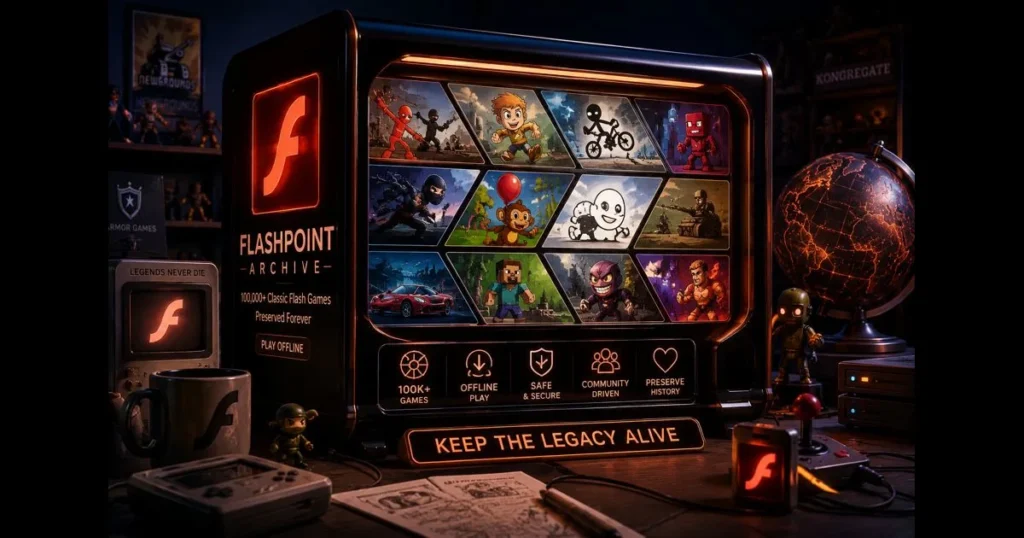
The Flashpoint Archive is a volunteer-driven preservation project that allows you to explore and play a vast catalog of classic web games without an internet connection. For those who grew up on platforms like Newgrounds, Armor Games, and Kongregate, it serves as both a time machine and a toolkit. While the collection contains well over 100,000 titles across Flash and related formats, remember this is an estimate—curation is ongoing. What really matters is this: you can play Flash games offline, safely, using a launcher that organizes, downloads, and runs the content locally.
Flash is long gone from mainstream browsers, and those prompts to enable it are relics of the past. Yet, the games and the culture surrounding them remain vibrant. Flashpoint is at the heart of this preservation movement, balancing usability with authenticity so you can revisit your favorites and uncover obscure gems you may have missed. (See: Flashpoint (fire).)
- What is Flashpoint Archive?
- The Importance of Flash Games
- How to Download Flash Games from Flashpoint
- Exploring the Collection: Categories of Flash Games
- Playing Flash Games Offline: What You Need to Know
- The Future of Flash Games and Flashpoint
- Community and Contribution
- Alternatives to Flashpoint for Flash Games
1. What is Flashpoint Archive?
Overview of Flashpoint as a project
Flashpoint is a community-led initiative started by BlueMaxima, maintained by a dedicated team of curators, developers, testers, and fans. Its mission is straightforward: rescue browser-based games and animations—primarily Flash, but also including Shockwave, Unity Web Player, Java, Silverlight, and other legacy formats—and make them playable long after their original hosting disappeared. Related reading: allow flash in browser.
Instead of relying on a fragile web of dead links, the project packages each title with the necessary configurations. A local routing layer and a secure player isolate content from the web, offering faithful playback without risky plugins. Simply choose a title in the desktop launcher, click Play, and enjoy.
Purpose and goals of the Flashpoint Archive
The goals are both practical and cultural. Practically, Flashpoint provides a catalog, metadata, screenshots, and working builds. Culturally, it treats browser games as primary sources worth preserving—covering everything from experimental prototypes to viral hits. The result is a living library of interactive web games that reflects how people learned, tinkered, and told stories online for two decades.
For newcomers searching “flashpoint flash games,” think of Flashpoint not as a single download but as a framework that’s continuously improving, guided by a clear ethos of Flash game preservation.
2. The Importance of Flash Games
Cultural significance of Flash games in the gaming community
Flash games represented the coffee-break culture of the 2000s and early 2010s. They spread through school computer labs, office PCs, and web cafés, instantly shareable and free to try. You might recall those lunchtime rituals of “just one more run” in Line Rider or late-night puzzle marathons with The Crimson Room. Those quick sessions turned into lasting memories for an entire generation.
They also created an egalitarian platform for artists and hobbyist coders to publish without a publisher, fostering community engagement. This build-play-iterate loop helped shape the indie games we know today.
Impact of Flash games on game development and design
Many small studios began with Flash, developing tight feedback loops, playful physics, and clever level design under strict constraints. Think about the evolution of Bloons into tower defense or how Fancy Pants Adventure made movement feel luxurious. Designers learned to ship quickly, gather feedback, and improve—habits that influenced mobile and indie development well beyond the browser.
“classic flash games” represent more than nostalgia; they embody a design lineage characterized by short sessions and instant onboarding, executed with creativity.
3. How to Download Flash Games from Flashpoint
Step-by-step guide to downloading Flashpoint Archive
You have two main editions to choose from. One streams titles on demand, while the other maintains a massive offline library. Most users start small and expand from there.
- Visit the official Flashpoint website and select your edition:
- Flashpoint Infinity (recommended for most): a lightweight launcher that fetches games while you play. Ideal for exploration without committing to much disk space upfront.
- Flashpoint Ultimate: a complete, pre-packaged collection for true offline use. Expect a substantial download spread over multiple files or a torrent.
- Download Flashpoint and save the archive to a simple folder path (e.g., C:Flashpoint on Windows). Avoid Program Files and network drives to minimize permission issues.
- Extract the archive using a reliable tool, keeping the folder structure intact.
- Launch the Flashpoint Launcher. The interface will show platforms, tags, playlists, and a search bar.
- Select Games, search for a title or browse by tag, and click Play. With Infinity, the first run pulls necessary files; subsequent runs are instant and offline.
- Create playlists for favorites, pin recent titles, and back up your data folder if curating your own collection.
If you prefer downloading games individually for travel, Infinity’s caching feature strikes a good balance. Ultimate is ideal for those seeking a complete, internet-free setup.
Tips for navigating the user interface and finding games
Search is your ally—use title keywords, developer names, or genres. Tags like “platformer,” “defense,” “idle,” “point-and-click,” and “physics” can lead you to hidden treasures.
Check the Platforms or Curations views to discover what’s new. The Random button can uncover quirky gems you might otherwise miss. If others ask where to start, suggest a mini tour: Portal: The Flash Version, Motherload, Interactive Buddy, and the original Bloons.
Pro tip: If you searched for “flashpoint flash games” for quick links, know that you can do the same within the launcher, benefiting from better filters and screenshots.
4. Exploring the Collection: Categories of Flash Games
Overview of different genres available in the archive
The archive offers more than just nostalgia. It includes:
- Platformers and runners: from speedrun-friendly movement to expansive Metroidvania experiments.
- Puzzle and physics: object stacking, portal logic, Rube Goldberg toys, and elegant challenges.
- Strategy and tower defense: perfected waves, upgrades, and control mechanics in browser settings.
- Action and shooters: twin-stick variants, bullet hell riffs, and ambitious side-scrollers.
- Adventure and point-and-click: moody escape rooms and narrative vignettes.
- RPGs and sims: stat-heavy grinders and surprisingly deep management loops.
- Rhythm and music: timing tests built with simple inputs and expressive flair.
- Sports and racing: single-key skill tests and physics-defying oddities.
- Creative toys and sandboxes: draw, build, and experiment freely.
Highlighting popular titles and hidden gems
Recognizable classics abound: Fancy Pants Adventure for fluid movement, Bloons Tower Defense for pure upgrade joy, QWOP for comedic failure, The Last Stand for survival tactics, Stick RPG for a life-sim time warp, and Line Rider for minimalist creativity.
Hidden gems make Flashpoint particularly exciting. Check out Hoshi Saga for tactile puzzle delight, Knightmare Tower for compulsive vertical action, Small Worlds for quiet exploration, or Spewer for clever physics-driven platforming. If you love uncovering surprises, search tags like “beta,” “prototype,” or “jam” to find unique sketches of future classics.
These aren’t just “classic flash games.” They’re snapshots of ideas that remain fresh, unburdened by modern bloat.
5. Playing Flash Games Offline: What You Need to Know
System requirements for running Flashpoint
Flashpoint is best supported on Windows. A modern 64-bit PC with a few gigabytes of RAM usually suffices for smooth gameplay. Storage needs vary: Infinity starts small but grows as you play, while Ultimate requires a significant amount of space. If you plan to maintain a travel-ready library, ensure you have ample storage.
macOS and Linux support exists through community-maintained ports and compatibility layers like Wine. Compatibility can change, so check the project’s documentation for the latest instructions before relying on a non-Windows build for an event or classroom.
You won’t need to allow Flash in your browser; the launcher uses a secure, local playback environment to run games without plugins.
Troubleshooting common issues
- Antivirus false positives: Some security tools may flag local servers or launchers. If you trust your source, add the Flashpoint folder to your exceptions. Avoid extracting or running from temporary directories.
- Permissions and paths: Use a short ASCII path (e.g., C:Flashpoint). Avoid Program Files and cloud-synced folders that might lock files.
- First-run issues in Infinity: The first play triggers a download. If it stalls, check your connection and try again; once cached, the title will run offline.
- Blank windows or missing assets: Re-extract the archive, update the launcher if prompted, and confirm that your system clock and locale settings are correct. Corrupt extractions are often to blame.
- Controllers and input: Most titles expect keyboard and mouse controls. Use a gamepad-to-keyboard mapper for a controller setup.
- Audio glitches: Toggle hardware acceleration in the launcher settings or try windowed mode for temperamental titles.
If a game remains stubborn, check its entry for notes. Curators often include workarounds or clarify limitations, especially for older Shockwave or Java pieces.
6. The Future of Flash Games and Flashpoint
Ongoing developments in the Flashpoint project
Preservation is an ongoing effort. Titles require testing, mirrors, and metadata cleanup as operating systems evolve. The Flashpoint team continues to refine the launcher, improve curation tools, and expand support for various formats so the library reflects a fuller history of web-native play.
There’s also synergy with emulation efforts. The ruffle flash emulator, which reimplements parts of Flash using modern, sandboxed technology, increases the number of titles that can run securely without the original plugin. While Flashpoint employs its own approach for accuracy, better emulators enhance options across the ecosystem.
Predictions for the preservation of Flash games
Expect a few trends. More titles will transition to portable, plugin-free runtimes as emulators mature. Metadata will become increasingly important—clear credits, version notes, and hashes help maintain trustworthiness. Access will also diversify; some will keep massive offline vaults, while others will stream favorites or curate small collections for classrooms.
What won’t change is the need for stewardship. Licenses, creator wishes, and proper attribution always matter. The healthiest future balances accessibility with respect for the creators behind these works.
7. Community and Contribution
How users can contribute to the Flashpoint Archive
You don’t need to be a developer to help. Just bring curiosity and a little time. Here are ways to get involved:
- Curate missing titles: Use the project’s curation tools to package a game, write metadata, add screenshots, and test playback. Submit for review.
- Verify and fix: Playtest entries, report broken links, and suggest corrections to tags and descriptions.
- Seed or mirror: If you have bandwidth and storage, help distribute large packs for quicker access.
- Document: Write short notes for tricky titles—control tips, known bugs, or historical context.
- Support: Contribute to hosting costs if possible, or help moderate community channels to keep them welcoming.
Creators are encouraged to share updated permissions or definitive builds of their Flash projects to ensure accurate representation.
Engaging with the community and sharing experiences
The most helpful feedback often comes in the form of stories: “I tried X on a school laptop, and here’s what worked and what didn’t.” Such details improve curation and help newcomers avoid pitfalls.
Join the project’s chat and forums, share playlists for themed nights (like tower defense marathons or point-and-click mysteries), and compare setups. The more you share, the better the archive becomes for those wanting to replay Portal: The Flash Version on a train with spotty Wi-Fi.
8. Alternatives to Flashpoint for Flash Games
Overview of other platforms for playing Flash games
Flashpoint focuses on thorough preservation and offline gaming. If you’d rather play flash games online, several options exist:
- Internet Archive: Many items run in the browser via the Ruffle Flash emulator. Great for quick nostalgia without installation.
- Newgrounds: A large portion of its catalog now operates through Ruffle, with creators occasionally uploading updated versions.
- Ruffle (desktop builds): This emulator can run certain SWFs locally, though compatibility varies, particularly for advanced ActionScript 3 content.
- Legacy or third-party Flash players: Often unreliable or unsafe. Avoid browser plugins claiming to restore old Flash; Flash should not be enabled in 2026.
Comparative analysis of features and offerings
- Compatibility and scope:
- Flashpoint: Broad cross-format preservation (Flash, Shockwave, Unity Web Player, and more), curated configurations, and strong support for unique cases.
- Ruffle-based sites: Excellent for many ActionScript 1/2 titles; AS3 support is improving but won’t cover every advanced game.
- Online vs. offline:
- Flashpoint: Designed for offline play, perfect for classrooms, flights, and low-connectivity scenarios.
- Web emulation: Ideal for quick hits on shared machines; less reliable on locked-down networks.
- Safety and simplicity:
- Flashpoint: Uses a contained environment and vetted packs; no browser plugins required.
- Ad-hoc SWF players or plugin clones: Risky and often insecure. Avoid them.
- Library management:
- Flashpoint: Rich metadata, tagging, playlists, and screenshots are integrated into the launcher.
- Websites: Usually searchable, but curation quality varies, and links can become outdated.
If you’re searching for one tool to explore, revisit, educate, and archive, Flashpoint remains the most comprehensive option. For a quick evening of nostalgia, Ruffle in the browser is incredibly convenient.
Final thoughts
Flashpoint isn’t just a way to replay favorites. It’s a set of Flashpoint features—launcher, curation, packaging—that transforms chaotic web history into something browsable, learnable, and enjoyable. It also lowers barriers for educators, librarians, and hobby archivists keen on keeping classic Flash games accessible to new audiences.
Ready to explore? Start with a Flashpoint download of Infinity, queue up some childhood staples, and let your library grow as you play. If you care about Flash game preservation, consider contributing curations or notes for the next player who finds a forgotten gem. The archive thrives because of active users who care enough to keep it alive.
Frequently Asked Questions
What is a flashpoint archive?
In the context of BlueMaxima’s Flashpoint, the Flashpoint Archive is the curated collection and tooling used to preserve and run legacy web games and animations—primarily Adobe Flash, but also Shockwave, Unity Web Player, Java, and more. Each entry is packaged with the correct player, configuration, and dependencies so it can launch safely and offline through the Flashpoint Launcher.
How is a flashpoint archive created?
Through curation. Volunteers locate a game or animation, capture the required files, and bundle them with a known-good setup (player/emulator, launch command, routing rules), plus metadata and screenshots. After testing in the Launcher, the curation is reviewed and merged into the master repository, making it available in Flashpoint Infinity (on-demand downloads) and Flashpoint Ultimate (the full offline set).
What are the benefits of using a flashpoint archive?
It enables safe, reliable playback of preserved web games long after original sites or plugins disappear. Benefits include true offline play, isolation from the live web (no risky browser plugins), consistent configurations for accurate behavior, rich metadata for discovery, and an active community that fixes breakage and expands coverage over time.