Adobe Flash Player reached end-of-life in December 2020 and modern browsers no longer include it. That does not mean Flash content is gone — millions of classic games and animations can still be played safely using modern emulators. This page explains every safe method, and the guides in this section go deeper for each browser.
The safe way to allow Flash content today
Instead of installing old, insecure Flash plugins, use Ruffle — an open-source Flash Player emulator that runs Flash files inside your normal browser with no security risk.
- Open your browser’s extension store — Chrome Web Store, Firefox Add-ons or Edge Add-ons.
- Search for “Ruffle” and install the official extension.
- Reload the page containing Flash content. Ruffle detects and plays most SWF files automatically.
- For downloaded games, use the Flashpoint Archive desktop app, which preserves over 100,000 Flash games.
Ruffle or Flashpoint — which one do you need?
| Ruffle extension | Flashpoint Archive | |
|---|---|---|
| Best for | Flash content on live websites | Playing preserved games offline |
| Install | One-click browser extension | Desktop app (Windows/Mac/Linux) |
| Game library | None — plays what pages embed | 100,000+ curated games built in |
Most people end up using both: Ruffle for the odd Flash element on a website, Flashpoint for an evening of classic games.
Why old Flash plugins are dangerous
Downloading “Flash Player” installers from unknown sites is one of the most common malware traps on the internet. Adobe no longer distributes or updates Flash, so any site offering a download is either bundling outdated software or malware. Always use emulators like Ruffle instead — they need no separate player at all.
What happened to Flash, briefly
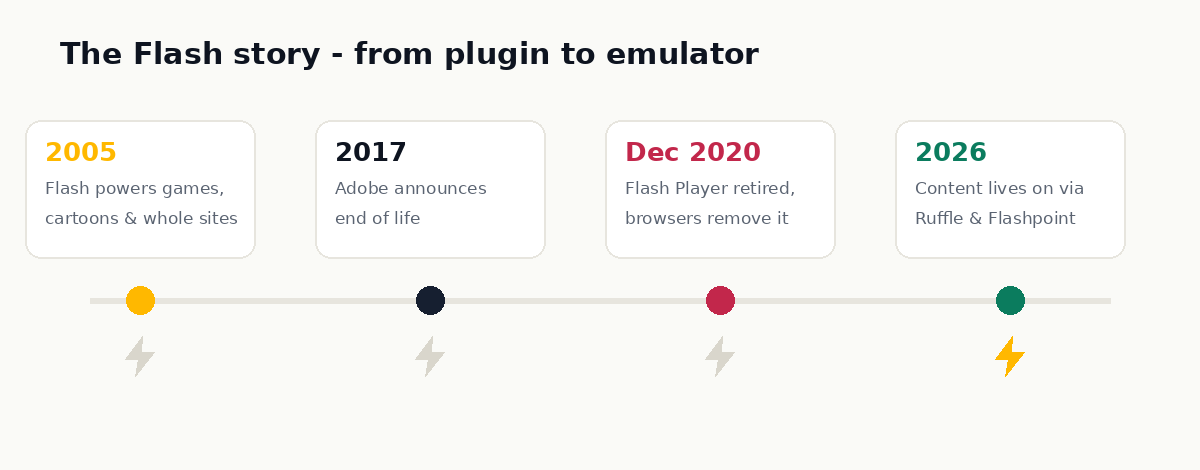
Flash powered a huge share of the 2000s web — games, cartoons, entire websites. But it carried a long history of security vulnerabilities, drained laptop batteries, and never worked on iPhones. As HTML5 matured to do everything Flash did, Adobe announced the end in 2017 and switched it off on December 31, 2020. The content survived; only the player died.
Guides in this section
Browse our step-by-step tutorials for every browser: Chrome, Firefox, Microsoft Edge, Safari, Opera and Brave. Each guide covers installing Ruffle, troubleshooting content that will not load, and finding archived versions of your favourite Flash games.
Quick answers
Can Chrome still run Flash?
Not natively — Chrome removed Flash in version 88. With the Ruffle extension installed, however, Chrome plays classic Flash content perfectly well.
Do I have to download anything at all?
For content on websites, just the Ruffle extension. Some sites (including the Internet Archive) embed Ruffle themselves, in which case you need nothing.
Is it legal to play old Flash games?
Playing games you access through preservation projects like Flashpoint or the Internet Archive is broadly accepted — many creators actively support these archives. Avoid shady “SWF download” sites, both for legal and security reasons.
What about Flash on my phone?
Ruffle works in mobile browsers too, and touch input covers most mouse-based games. Keyboard-heavy games remain easier on a desktop.